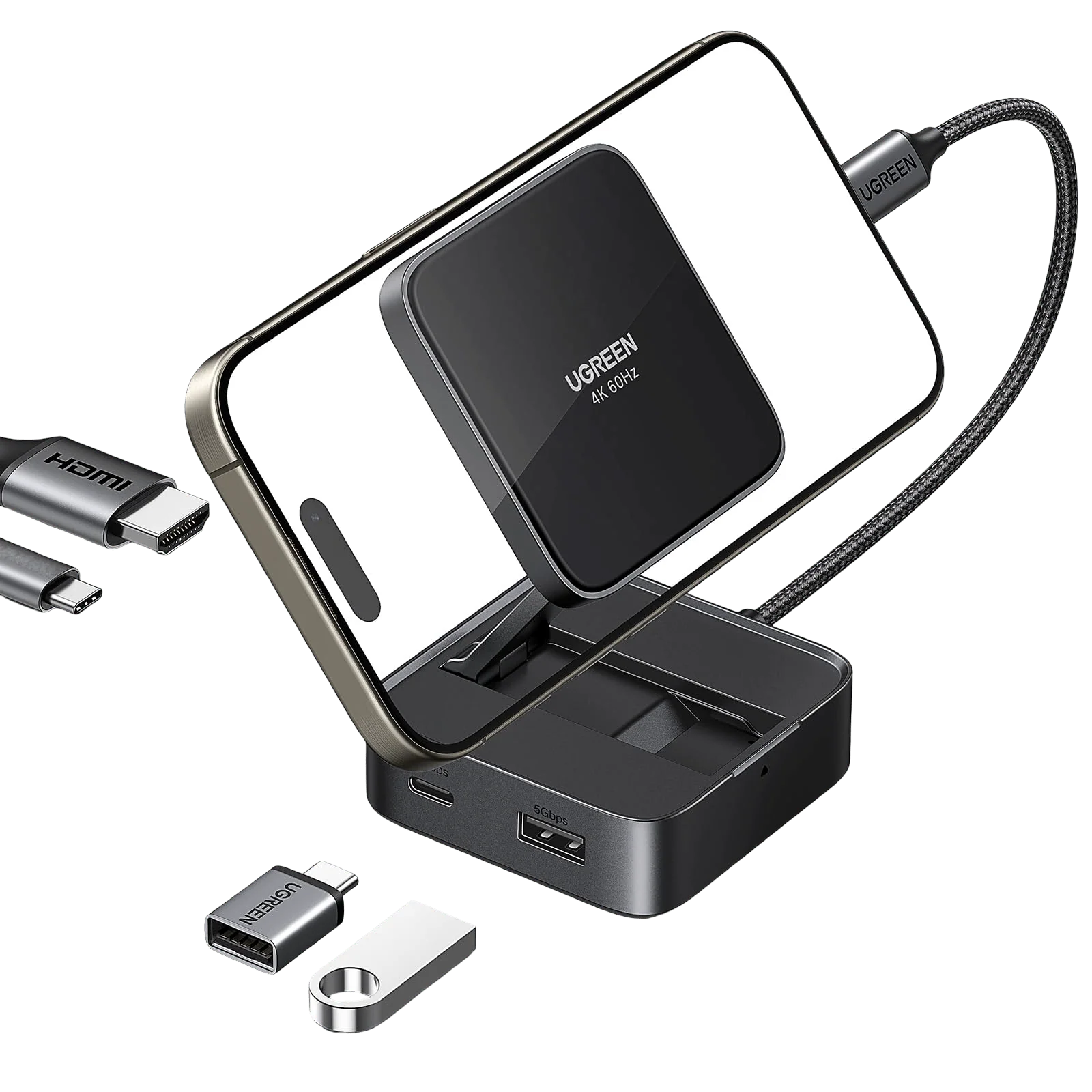
UGREEN Revodok Magnetic Docking Station 4K PD 100W
Find Out Additional Info Of The Magnetic USB-C Hub
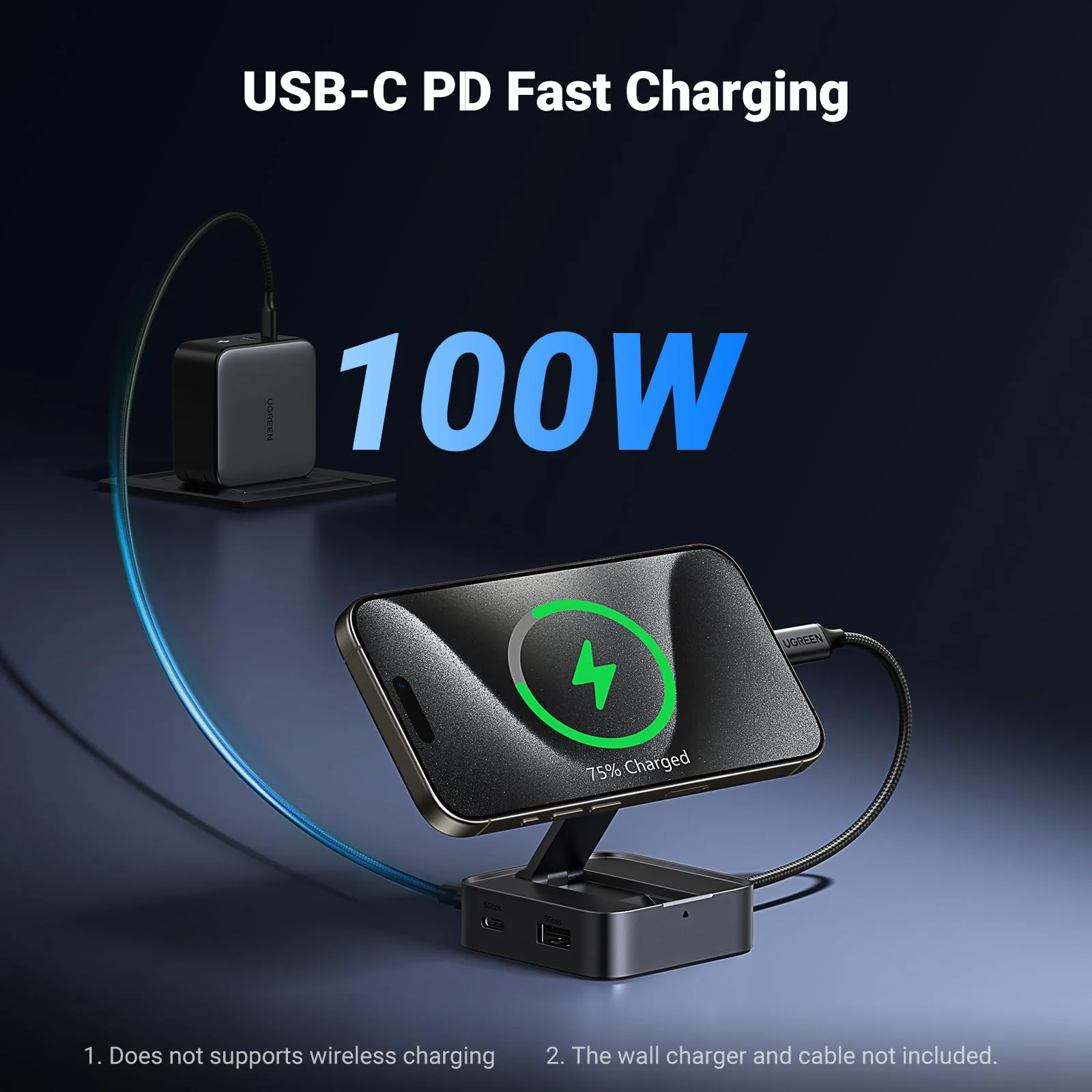
1. The magnetic pad does not support wireless charging.
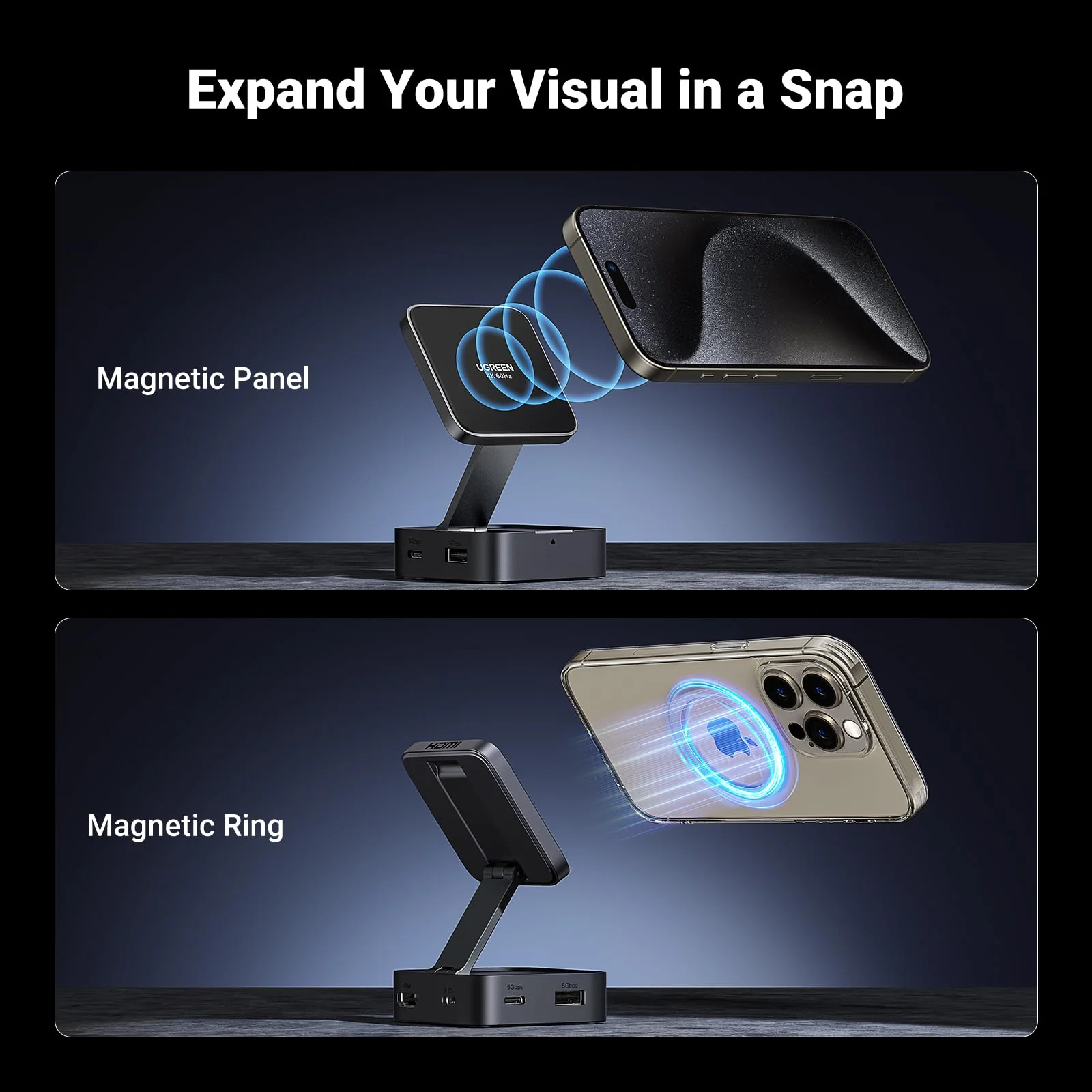
2. For iPhone 15 and later models or iPhone using the official MagSafe case, simply snap it on the magnetic pad to adsorb.
3. For other mobile phone and phone using non-MagSafe case must first install the magnetic ring before attaching it to the magnetic pad.
(1) Clean the area on the back of the phone or case where the magnetic ring will be installed.
(2) Align the magnetic ring to the target area and press to stick it firmly. It is recommended to leave it for 12 hours after sticking.
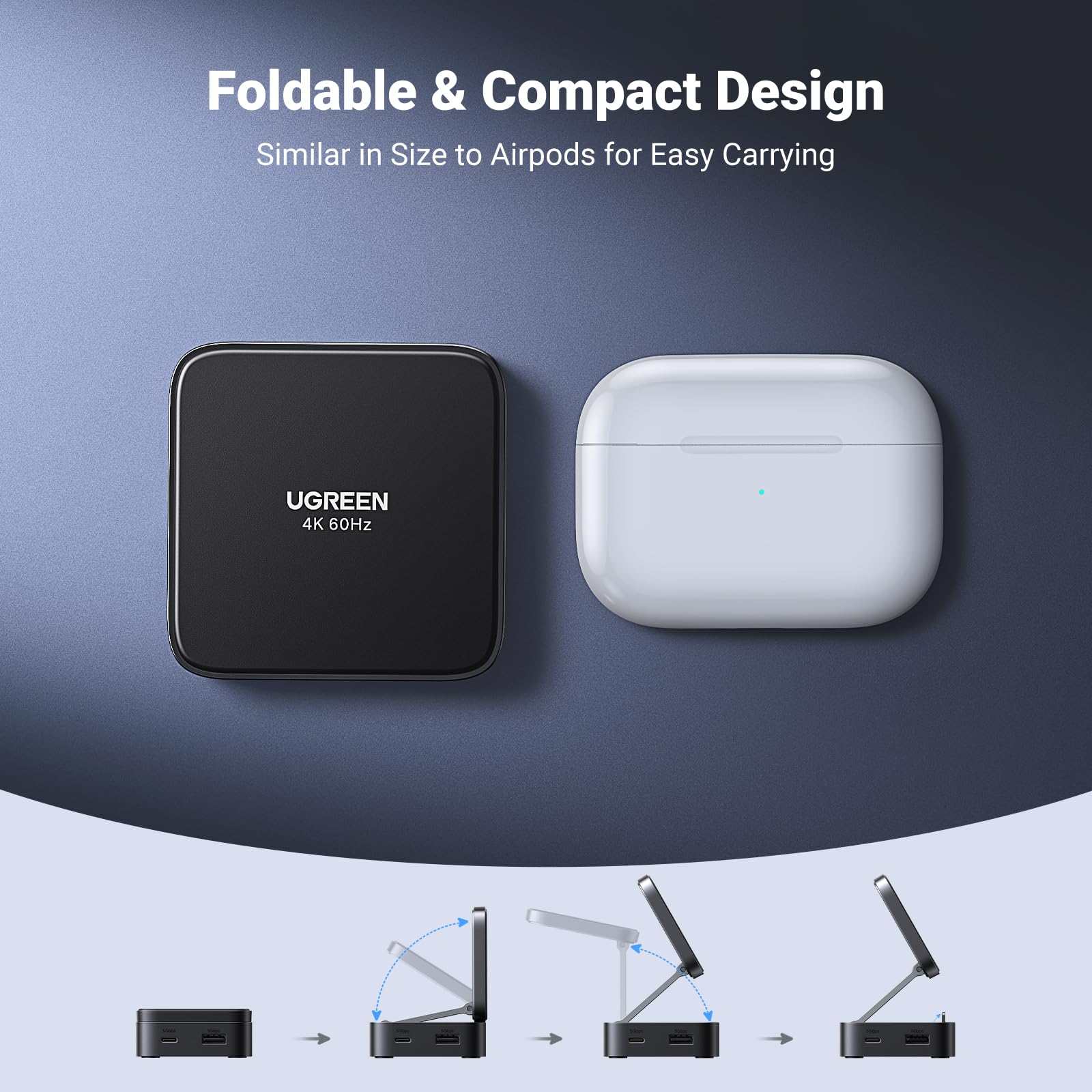
4. If you don't need to use the magnetic pad function, you can press the bottom of the product and unfold the "supporting piece" to fix the phone.
5. The maximum adjustment angle of the magnetic pad is 135 degrees.
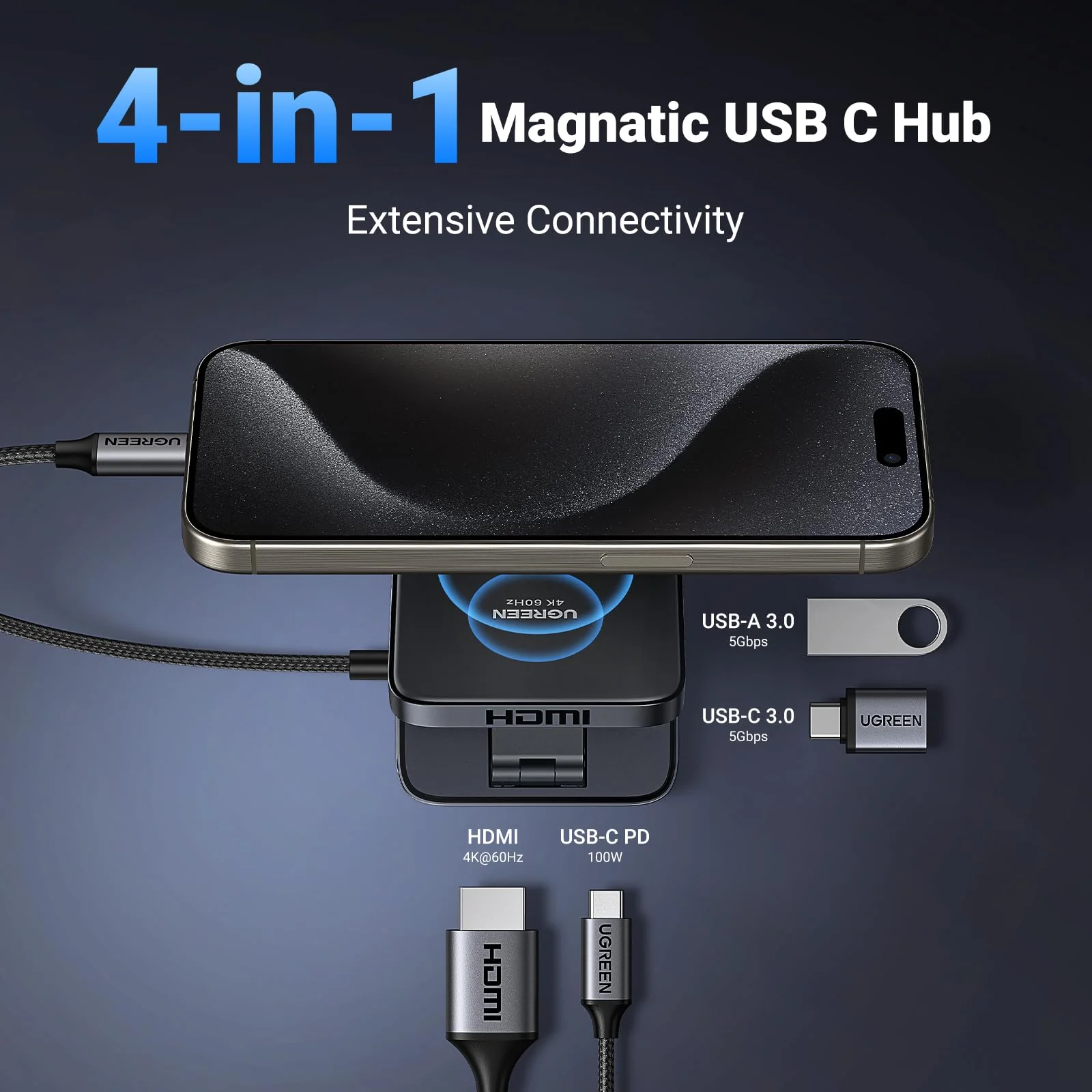
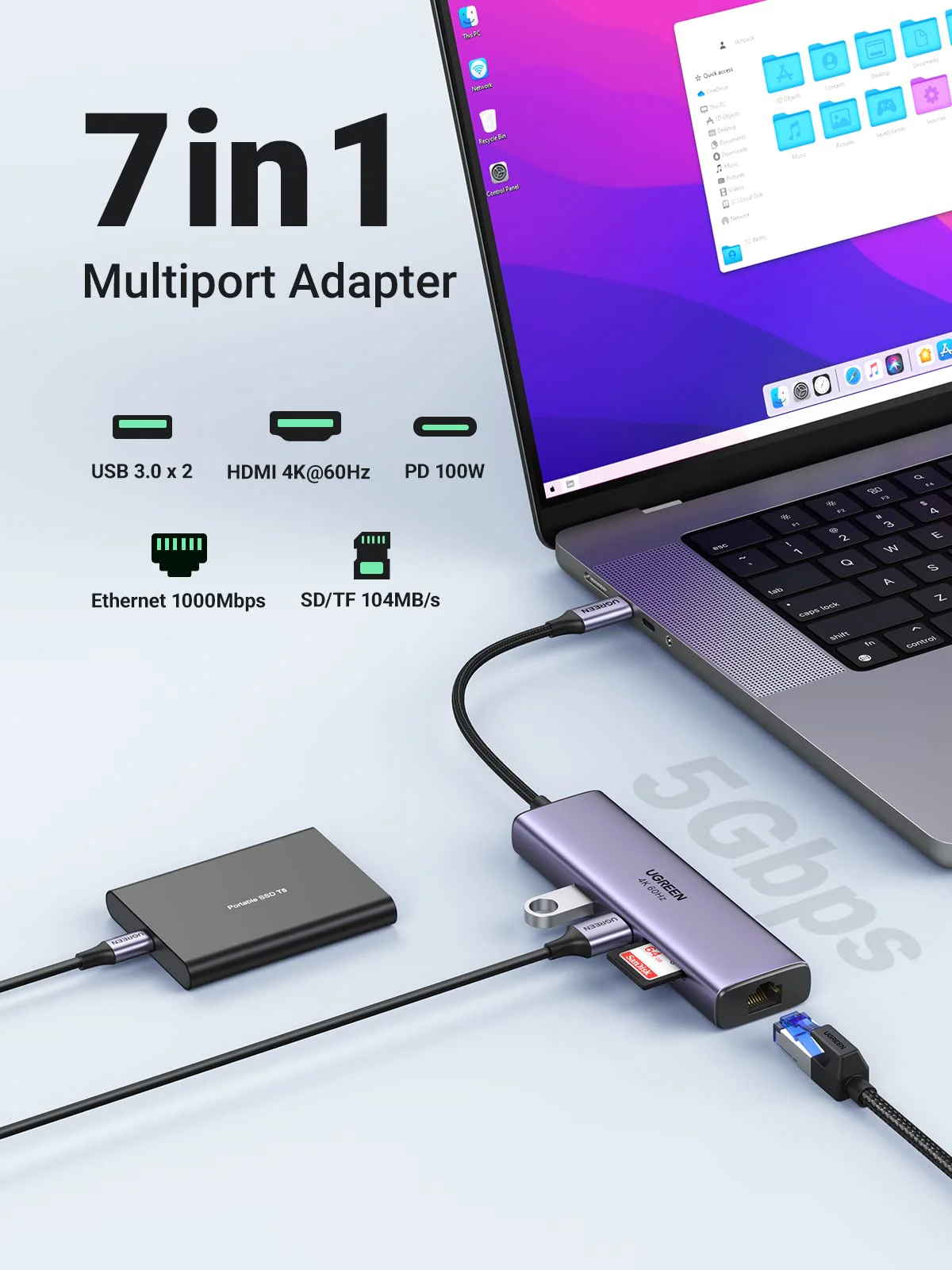
6. The USB-C data port will not support media display and PD charging.
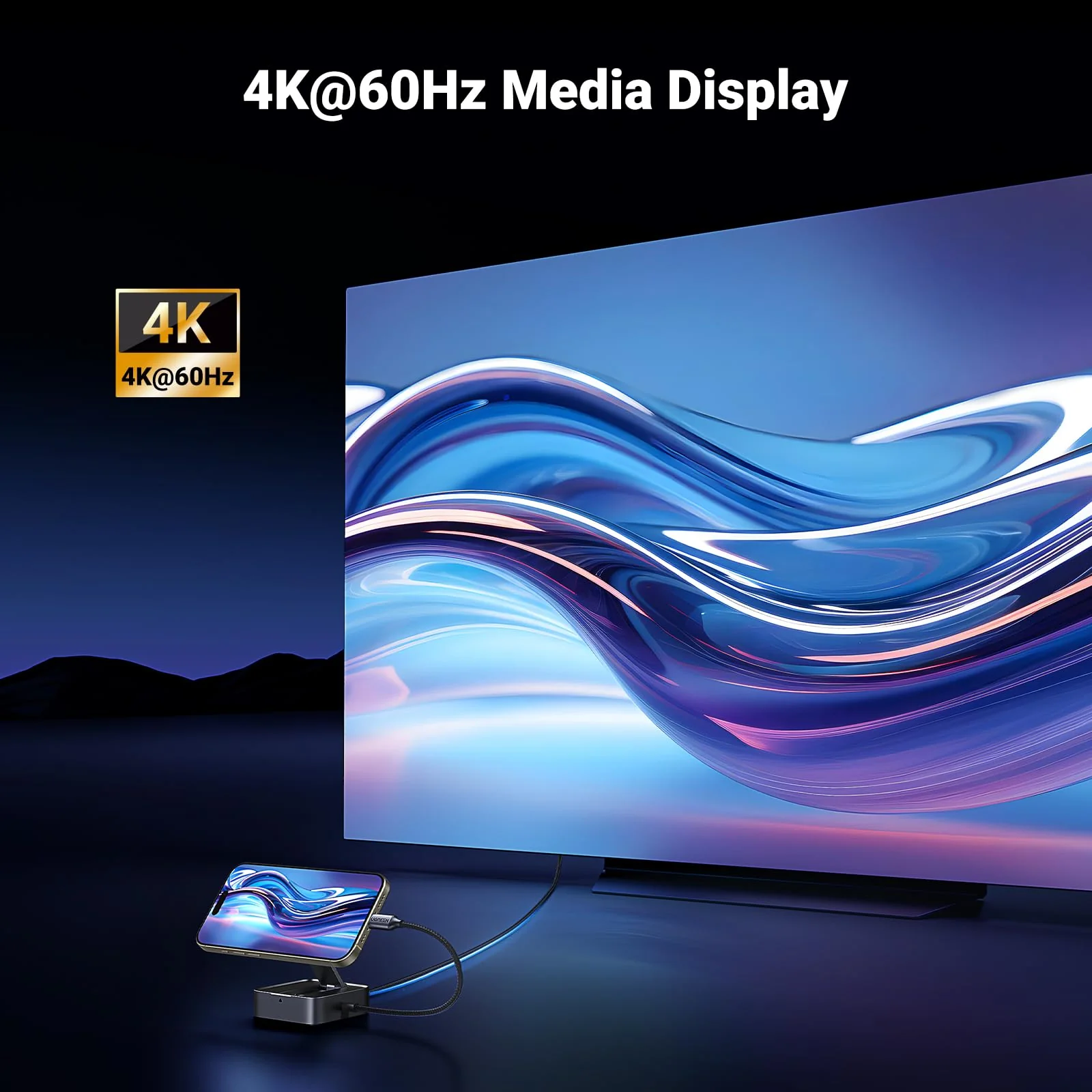
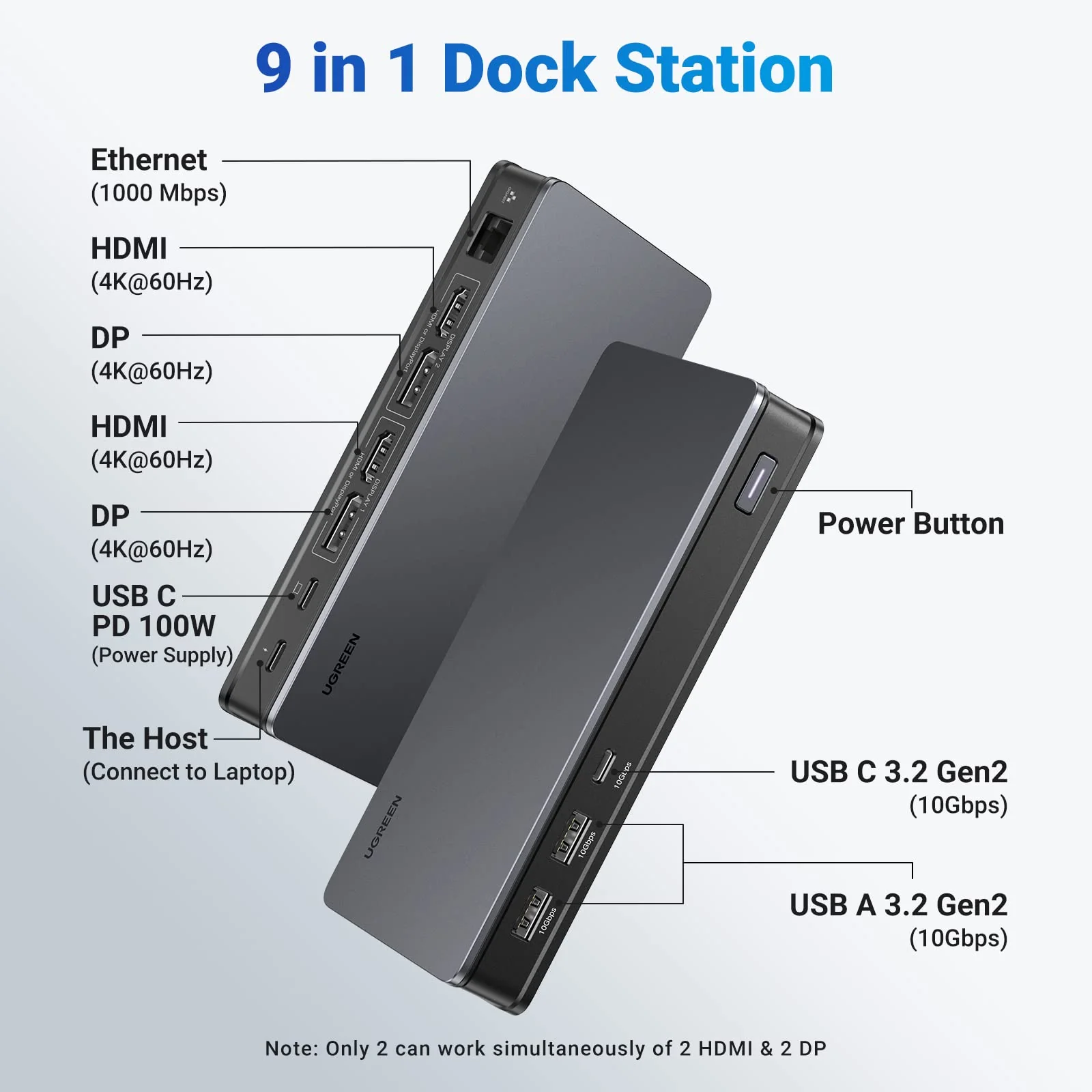
7. Please ensure the version of the video signal supported by your host device is DP1.4 to achieve 4K@60Hz resolution.
8. We recommend using a PD charger with your phone or tablet while connected to the hub to ensure stable video output.
Product Information
Product Information
Shipping & Returns
Shipping & Returns


UGREEN Revodok Magnetic Docking Station 4K PD 100W
Find Out Additional Info Of The Magnetic USB-C Hub
1. The magnetic pad does not support wireless charging.
2. For iPhone 15 and later models or iPhone using the official MagSafe case, simply snap it on the magnetic pad to adsorb.
3. For other mobile phone and phone using non-MagSafe case must first install the magnetic ring before attaching it to the magnetic pad.
(1) Clean the area on the back of the phone or case where the magnetic ring will be installed.
(2) Align the magnetic ring to the target area and press to stick it firmly. It is recommended to leave it for 12 hours after sticking.
4. If you don't need to use the magnetic pad function, you can press the bottom of the product and unfold the "supporting piece" to fix the phone.
5. The maximum adjustment angle of the magnetic pad is 135 degrees.
6. The USB-C data port will not support media display and PD charging.
7. Please ensure the version of the video signal supported by your host device is DP1.4 to achieve 4K@60Hz resolution.
8. We recommend using a PD charger with your phone or tablet while connected to the hub to ensure stable video output.
Product Information
Product Information
Shipping & Returns
Shipping & Returns
Description
Find Out Additional Info Of The Magnetic USB-C Hub
1. The magnetic pad does not support wireless charging.
2. For iPhone 15 and later models or iPhone using the official MagSafe case, simply snap it on the magnetic pad to adsorb.
3. For other mobile phone and phone using non-MagSafe case must first install the magnetic ring before attaching it to the magnetic pad.
(1) Clean the area on the back of the phone or case where the magnetic ring will be installed.
(2) Align the magnetic ring to the target area and press to stick it firmly. It is recommended to leave it for 12 hours after sticking.
4. If you don't need to use the magnetic pad function, you can press the bottom of the product and unfold the "supporting piece" to fix the phone.
5. The maximum adjustment angle of the magnetic pad is 135 degrees.
6. The USB-C data port will not support media display and PD charging.
7. Please ensure the version of the video signal supported by your host device is DP1.4 to achieve 4K@60Hz resolution.
8. We recommend using a PD charger with your phone or tablet while connected to the hub to ensure stable video output.